from UAV.airsim_python_client import MultirotorClient
import UAV.params as params
from UAV.utils import config_dir
import logging
from UAV.airsim.client import AirSimClientAirsim.Client
Connects to the Airsim simulator and enables higher level procedures
logging.basicConfig(format='%(asctime)-8s,%(msecs)-3d %(levelname)5s [%(filename)10s:%(lineno)3d] %(message)s',
                    datefmt='%H:%M:%S',
                    level=params.LOGGING_LEVEL)
logger = logging.getLogger(params.LOGGING_NAME)
from UAV.utils.display import *
from UAV.utils.sim_linux import *
from matplotlib import pyplot as pltRunSim
 RunSim (name:str='Coastline', resx:int=1600, resy:int=1200,
         windowed:str|None='windowed',
         settings:str|pathlib.Path|None=None)
Run the Airsim simulator
| Type | Default | Details | |
|---|---|---|---|
| name | str | Coastline | name of the simulator environment |
| resx | int | 1600 | window size x |
| resy | int | 1200 | window size y |
| windowed | str | None | windowed | windowed or fullscreen |
| settings | str | Path | None | None | settings file |
rs = RunSim("AirSimNH", settings=config_dir() / "airsim_settings_high_res.json")INFO |30.895| uav.RunSim | sim_linux.: 75 | MainThread | MainProces | Settings file /home/john/PycharmProjects/UAV/config/airsim_settings_high_res.json found.Starting Airsim ['/home/john/Airsim/AirSimNH/LinuxNoEditor/AirSimNH/Binaries/Linux/AirSimNH', '-ResX=1600', '-ResY=1200', '-windowed', '-settings=/home/john/PycharmProjects/UAV/config/airsim_settings_high_res.json']
Started Airsim AirSimNHAirSimClient
AirSimClient (ip='', port:int=41451, timeout_value=3600)
Multirotor Client for the Airsim simulator with higher level procedures
| Type | Default | Details | |
|---|---|---|---|
| ip | str | rpc connection address | |
| port | int | 41451 | rpc connection port |
| timeout_value | int | 3600 | timeout for client ping in seconds |
AirSimClient.place_object
 AirSimClient.place_object (name:str, x:float, y:float, z:float,
                            scale:float=1.0, physics_enabled:bool=False)
Place an object in the simulator First check to see if the asset it is based on exists
| Type | Default | Details | |
|---|---|---|---|
| name | str | asset name | |
| x | float | position x | |
| y | float | position y | |
| z | float | position z | |
| scale | float | 1.0 | scale |
| physics_enabled | bool | False | physics enabled |
asc = AirSimClient()Connected!
Client Ver:1 (Min Req: 1), Server Ver:1 (Min Req: 1)asc.place_object("Sofa_02", 5.0, 0.0, -1.0, scale=0.5 )The sofa can be seen at the location with rs.client.simGetObjectPose("Sofa_02") The sofa can be moved with rs.move_asset(x,y,z,asset_name)
asc.simGetObjectPose("Sofa_02")<Pose> { 'orientation': <Quaternionr> { 'w_val': nan,
'x_val': nan,
'y_val': nan,
'z_val': nan},
'position': <Vector3r> { 'x_val': nan,
'y_val': nan,
'z_val': nan}}#### Get image from one cameraAirSimClient.get_image
AirSimClient.get_image (camera_name:str='0', rgb2bgr:bool=False)
Get an image from cameras camera_name
| Type | Default | Details | |
|---|---|---|---|
| camera_name | str | 0 | cameras name |
| rgb2bgr | bool | False | convert to bgr |
| Returns | ndarray | image |
img = asc.get_image(rgb2bgr=True)
ax = show_image(img)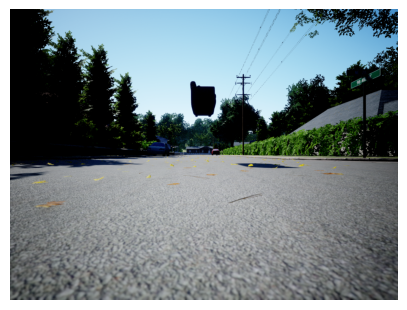
AirSimClient.get_images
AirSimClient.get_images (camera_names:list=['0'], rgb2bgr:bool=False)
Get images from the simulator of cameras camera_names
| Type | Default | Details | |
|---|---|---|---|
| camera_names | list | [‘0’] | cameras names |
| rgb2bgr | bool | False | convert to rgb |
| Returns | list | images |
cams = ["center", "right", "left", "down"]
imgs = asc.get_images(cams, rgb2bgr=True)

_,axs = plt.subplots(2,2,figsize=(12,10))
for i,ax in enumerate(axs.flatten()): show_image(imgs[i], ax=ax, title=f' {cams[i]}')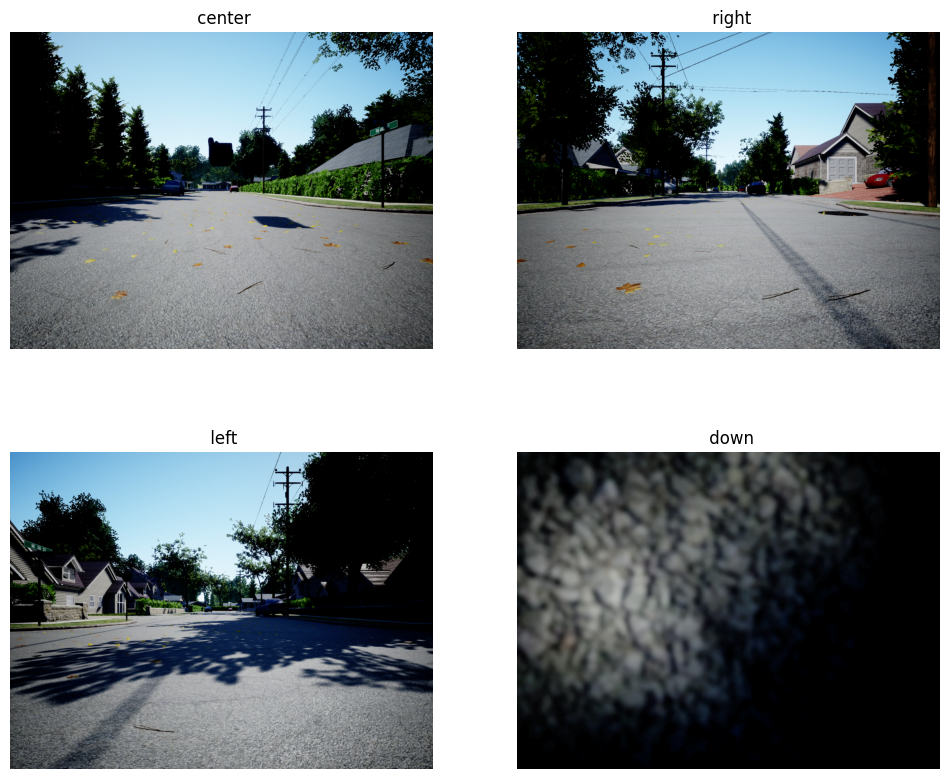
rs.exit()Airsim exited with rc = 143