from nbdev.showdoc import *
from nbdev.showdoc import *
from fastcore.test import *
import inspectUtils.Display
Fill in a module description here
def _fig_bounds(x):
    r = x//32
    return min(5, max(1,r))
from fastcore.utils import *
import cv2
import numpy as np
from imutils import resize
from PIL import Image
import matplotlib
import matplotlib.pyplot as plt
import moviepy.editor as mvp
from moviepy.video.io.ffmpeg_writer import FFMPEG_VideoWriter
import logging
import UAV.params as params
from UAV.utils.display import *GStreamer is not installedshow_image
 show_image (im, ax=None, figsize=None, title=None, text=None,
             fontsize=12, ctx=None, rgb2bgr:bool=False, **kwargs)
Show a PIL or PyTorch image on ax.
| Type | Default | Details | |
|---|---|---|---|
| im | |||
| ax | NoneType | None | if None, a new figure is created |
| figsize | NoneType | None | if None, the figure size is set to min of 5 and max of 1/32 of the image size |
| title | NoneType | None | title of the image |
| text | NoneType | None | text to be written on image |
| fontsize | int | 12 | fontsize of text |
| ctx | NoneType | None | context |
| rgb2bgr | bool | False | convert from/to RGB |
| kwargs | |||
| Returns | plt.Axes | return matplotlib axis |
im2 = np.array(Image.open(TEST_IMAGE))
ax = show_image(im2, text='dog', figsize=(3,3))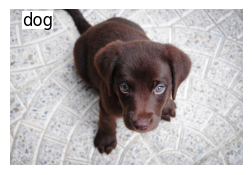
ax = show_image(im2, text='dog', figsize=(3,3), rgb2bgr=True)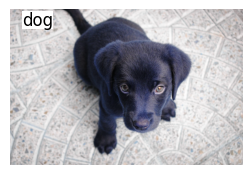
im2 = np.array(Image.open(TEST_IMAGE))
im2 = puttext(im2, 'dog')
ax = show_image(im2)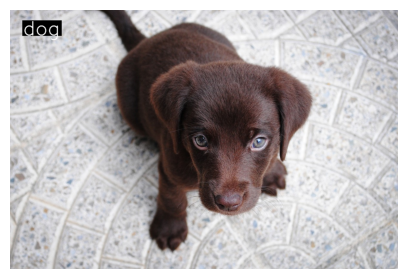
_,axs = plt.subplots(1,4,figsize=(12,4))
for i,ax in enumerate(axs): show_image(im2, ax=ax, title=f'Copy {i+1}')
ScrollingLog.update
ScrollingLog.update (message:str, index=None)
Add a message to the log, if index is specified, update the message at the index
| Type | Default | Details | |
|---|---|---|---|
| message | str | add a message to the log | |
| index | NoneType | None | index of the message to be updated |
ScrollingLog.draw
ScrollingLog.draw (image, font=0)
Draw the log on the image
Run some tests
image = np.array(Image.open(TEST_IMAGE))
log = ScrollingLog()
test_eq(log.draw(image), None)   # runs with no log present
for i in range(10):
    log.update(f"Message {i}")

test_eq(log.log[0], "Message 5")
test_eq(log.log[-1], "Message 9")
test_eq(len(log.log), 5)
log.draw(image)
ax = show_image(image)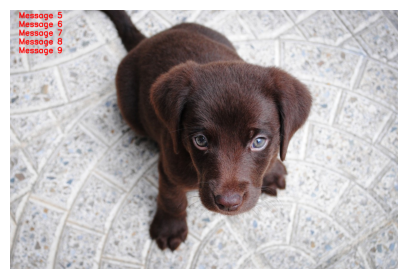
ScrollingLogHandler.set_filter
ScrollingLogHandler.set_filter (_filter:str)
Set the filter for the log message
# Standard Setting up logging
logging.basicConfig(format='%(asctime)-8s,%(msecs)-3d %(levelname)5s [%(filename)10s:%(lineno)3d] %(message)s',
                        datefmt='%H:%M:%S',
                        level=params.LOGGING_LEVEL)  # Todo add this to params
logger = logging.getLogger(params.LOGGING_NAME)

log = ScrollingLog(bg_color=(0,0,0))
handler_log = ScrollingLogHandler(log, logger, _filter='AIR')

# Example usage:
logger.info("AIR: This is an info log.")
logger.warning("This is a warning log.")
logger.error("AIR: This is an error log.")
logger.error("This is an error log.")
logger.warning("AIR:This is an warning log.")
# Display the logs using OpenCV or your desired method
# image = cv2.imread("path_to_image.jpg")
image = np.array(Image.open(TEST_IMAGE))
log.draw(image)
ax = show_image(image[:200,:600], figsize=(5,3))

test_eq(len(log.log), 3)   # there are 3 AIR messages in the log above
INFO | uav_log | 03.735 | 817836736.py: 11 | MainThread | AIR: This is an info log.
WARNIN | uav_log | 03.737 | 817836736.py: 12 | MainThread | This is a warning log.
ERROR | uav_log | 03.738 | 817836736.py: 13 | MainThread | AIR: This is an error log.
ERROR | uav_log | 03.738 | 817836736.py: 14 | MainThread | This is an error log.
WARNIN | uav_log | 03.738 | 817836736.py: 15 | MainThread | AIR:This is an warning log.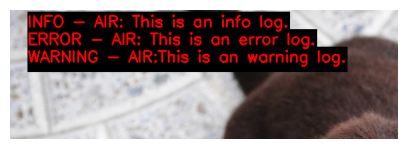
handler_log.set_filter('')
logger.error("error1 .")
logger.error("error2 .")
image = np.array(Image.open(TEST_IMAGE))
log.draw(image)
ax = show_image(image[:200,:600], figsize=(5,3))
test_eq(len(log.log), 5)
ERROR | uav_log | 03.887 | 2590345404.py: 2 | MainThread | error1 .
ERROR | uav_log | 03.888 | 2590345404.py: 3 | MainThread | error2 .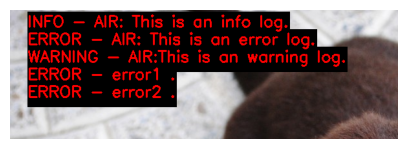
Example of use ScrollingLog with index
# Simulate sequence of images

image = np.array(Image.open(TEST_IMAGE))
def test_log(image, max_lines=3, font_scale=2.0, index=None, bg_color=None):
    log = ScrollingLog(max_lines=max_lines, font_scale=font_scale, bg_color=bg_color)

    # Update log messages
    for i in range(6):
        log.update(f"Message {i}")
    log.update(f"Mes {i+1}")

    _,axs = plt.subplots(1,3,figsize=(16,8))
    for i,ax in enumerate(axs.flatten()):
        img_copy = image.copy()
        log.update(f"Message {i + 7}", index=index)
        log.draw(img_copy)
        # just show the top left corner of the image
        img_copy = img_copy[:img_copy.shape[0]//2, :img_copy.shape[1]//2]
        show_image(img_copy, ax=ax, title=f'Copy {i+1}')

test_log(image, max_lines=3, font_scale=2.0, index=None, bg_color=(0,0,255))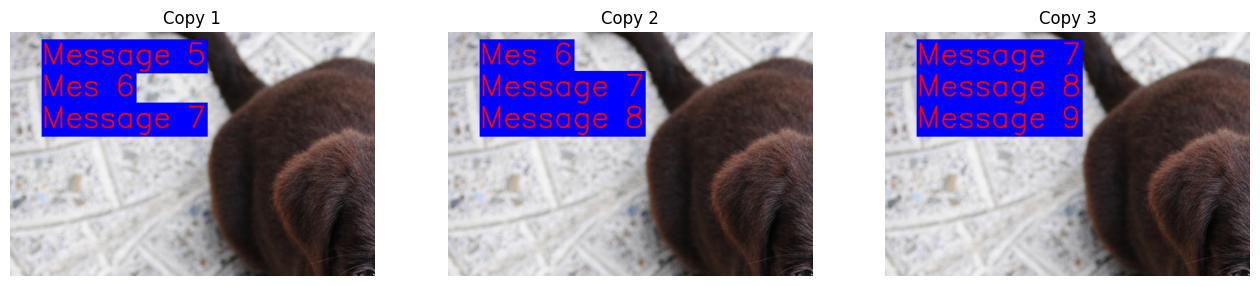
test_log(image, max_lines=5, font_scale=1.4, index=None, bg_color=(0,0,0))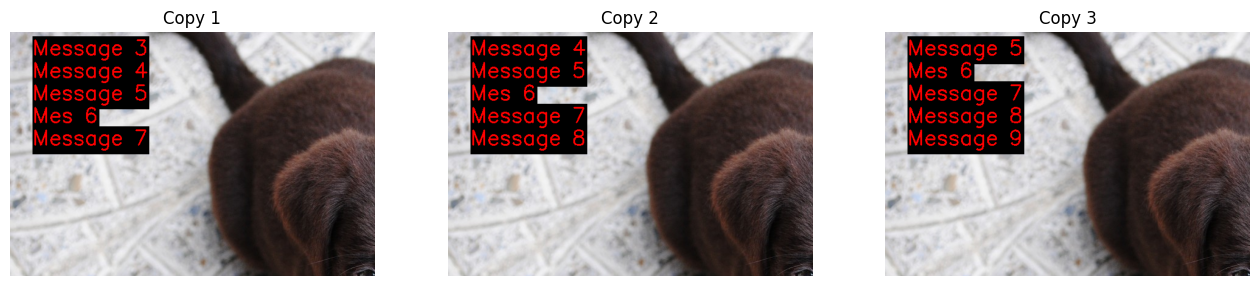
test_log(image, max_lines=8, font_scale=1.0, index=None)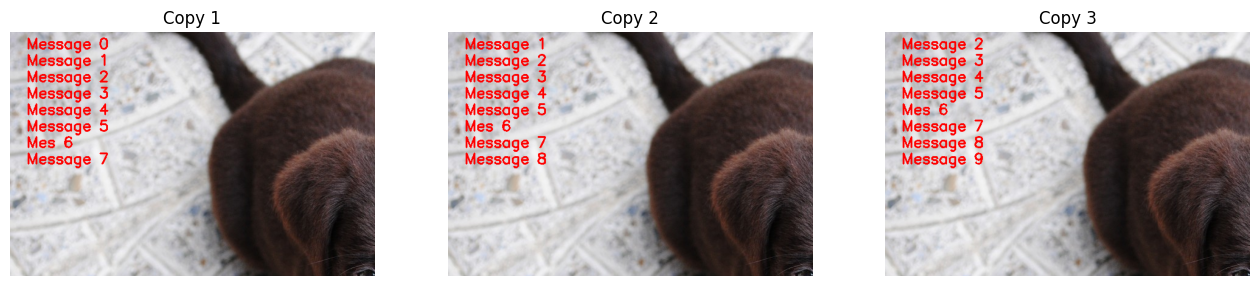
test_log(image, max_lines=5, font_scale=1.4, index=6, bg_color=(0,0,0))Warning: 0 <= index < len(self.log)
Warning: 0 <= index < len(self.log)
Warning: 0 <= index < len(self.log)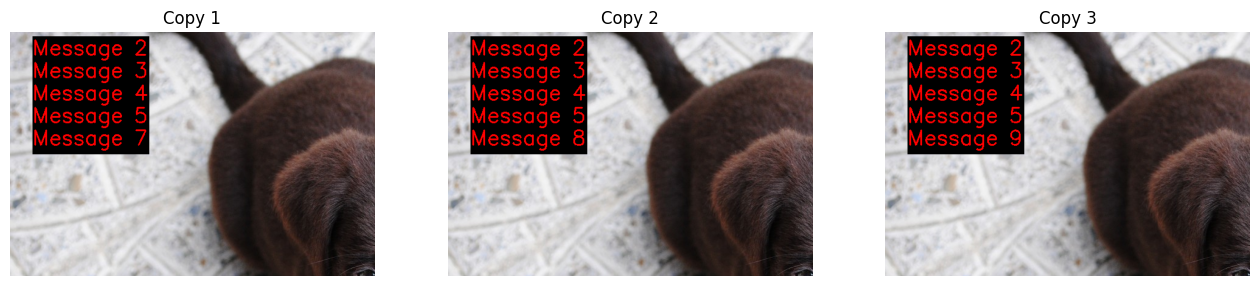
from UAV.utils.display import *VideoWriter.add
VideoWriter.add (img:numpy.ndarray)
Add an image to the video
| Type | Details | |
|---|---|---|
| img | np.ndarray | image to be added |
| Returns | None |
VideoWriter.close
VideoWriter.close ()
VideoWriter.show
VideoWriter.show (**kw)
Show the video
import cv2
from UAV.utils.display import VideoWriter, ScrollingLog, ScrollingLogHandler, puttext, show_image
import numpy as np
from PIL import Image
from fastcore.test import *
import logging

# uncomment below to run logging on console
# logging.basicConfig(format=
#                     '%(asctime)-8s,%(msecs)-3d %(levelname)5s [%(filename)10s:%(lineno)3d] %(message)s',
#                     datefmt='%H:%M:%S',
#                     level=logging.INFO)

logger = logging.getLogger(params.LOGGING_NAME) # Todo add this to params
logger.setLevel(params.LOGGING_LEVEL)
log = ScrollingLog(bg_color=(0,0,0))
handler_log = ScrollingLogHandler(log, logger)
logger.info(f"Hello World")

img = np.array(Image.open(TEST_IMAGE))
framecounter = 0
with VideoWriter("images/videowriter_test.mp4", 5.0) as video:
# if True:
    for i in range(20):
        puttext(img, f"Frame: {framecounter}", pos=(700,80))
        logger.info(f"Frame: {framecounter}")
        log.draw(img)
        # cv2.imshow('image', img)
        k = cv2.waitKey(100)
        if k == 27 or k == ord('q') or k == ord('Q'):
            break
        video.add(img)
        framecounter += 1
# cv2.destroyAllWindows()
ax=show_image(img)

video.show(width=500)
test_eq(framecounter, 20)
INFO | uav_log | 04.928 | 1743171834.py: 19 | MainThread | Hello World
INFO | uav_log | 04.934 | 1743171834.py: 27 | MainThread | Frame: 0
INFO | uav_log | 04.939 | 1743171834.py: 27 | MainThread | Frame: 1
INFO | uav_log | 04.953 | 1743171834.py: 27 | MainThread | Frame: 2
INFO | uav_log | 04.960 | 1743171834.py: 27 | MainThread | Frame: 3
INFO | uav_log | 04.965 | 1743171834.py: 27 | MainThread | Frame: 4
INFO | uav_log | 04.972 | 1743171834.py: 27 | MainThread | Frame: 5
INFO | uav_log | 04.976 | 1743171834.py: 27 | MainThread | Frame: 6
INFO | uav_log | 04.982 | 1743171834.py: 27 | MainThread | Frame: 7
INFO | uav_log | 04.987 | 1743171834.py: 27 | MainThread | Frame: 8
INFO | uav_log | 04.992 | 1743171834.py: 27 | MainThread | Frame: 9
INFO | uav_log | 04.998 | 1743171834.py: 27 | MainThread | Frame: 10
INFO | uav_log | 05.004 | 1743171834.py: 27 | MainThread | Frame: 11
INFO | uav_log | 05.009 | 1743171834.py: 27 | MainThread | Frame: 12
INFO | uav_log | 05.014 | 1743171834.py: 27 | MainThread | Frame: 13
INFO | uav_log | 05.020 | 1743171834.py: 27 | MainThread | Frame: 14
INFO | uav_log | 05.025 | 1743171834.py: 27 | MainThread | Frame: 15
INFO | uav_log | 05.030 | 1743171834.py: 27 | MainThread | Frame: 16
INFO | uav_log | 05.036 | 1743171834.py: 27 | MainThread | Frame: 17
INFO | uav_log | 05.041 | 1743171834.py: 27 | MainThread | Frame: 18
INFO | uav_log | 05.047 | 1743171834.py: 27 | MainThread | Frame: 19Writing video to /home/jn/PycharmProjects/UAV/nbs/api/images/videowriter_test.mp4 at 5.0 fps.
Video: /home/jn/PycharmProjects/UAV/nbs/api/images/videowriter_test.mp4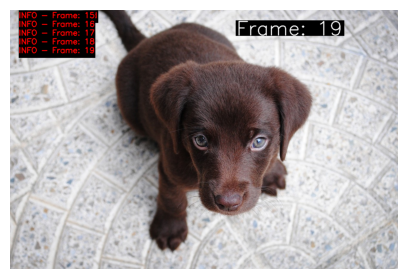
doc_class
doc_class (cls)
Document all the public methods in a class
# show_doc(Example)import asyncio
class Example:
"""This is an example class."""
def __init__(self, param1:float, # param 1
param2:str): # param 2
pass
def _method_a(self, param1:int, # param 1
param2: int): # param 2
"This is method A"
pass
def method_a(self, param1:int, # the param 1
param2: int): # the param 2
"This is method A"
pass
async def method_b(self, param1:int, # the param 1
param2: int): # the param 2
"This is method B"
passExample of use doc_class
from UAV.utils.display import doc_class
doc_class(Example)
Example.method_a
Example.method_a (param1:int, param2:int)
This is method A
| Type | Details | |
|---|---|---|
| param1 | int | the param 1 |
| param2 | int | the param 2 |
Example.method_b
Example.method_b (param1:int, param2:int)
This is method B
Note: async function
DocmentTbl(Example)| Type | Details | |
|---|---|---|
| param1 | float | param 1 |
| param2 | str | param 2 |
inspect.signature(Example.method_b)<Signature (self, param1: int, param2: int)>signature_ex(Example.method_b)<Signature (self, param1: int, param2: int)>obj = Example.method_b
params = L(signature_ex(obj, eval_str=True).parameters.keys())
params(#3) ['self','param1','param2']DocmentTbl(Example.method_b)
DocmentTbl(Example.method_a)